How to collect photos from conference and corporate event attendees
The simplest way to collect photos from conference attendees is one gallery with a QR code: attendees scan the code on their badge or a screen and add photos in the browser, no app, no account. Below we explain how to set up the gallery before the event, where to put the code and how to hand the photos over to marketing.
Why collect photos from attendees
The event photographer shoots the stage, speakers and sponsors. But they can’t be in several places at once. They usually don’t get to capture all the hallway conversations, workshops in smaller rooms, partner booths and the evening networking party. Those moments are on attendees’ phones instead.
Photos and short videos from attendees help the marketing team with posts and stories after the event, a recap for management or partners, and teasers for the next edition. They show the event through the eyes of the people who were there, not just from the stage.
Popular methods and their limits
- A social media hashtag. It only collects what attendees post publicly, and you then have to ask the authors for good-quality photos.
- A folder on the company drive. Works well inside the company, but outside guests may need an account or extra permissions, depending on the settings.
- A channel on the company messaging app. Convenient for employees, but unavailable to partners, clients and speakers from outside the company. Photos get mixed in with conversations.
- A QR code gallery. Attendees scan the code with their phone camera and add photos in the browser. No account or app needed, and everything lands in one place.
How to collect photos from conference attendees: a step-by-step plan
Before the event
- Create a gallery and pick a design template, like “White & Graphite” for a conference or “Night Neon” for an evening gala. Change the title, photo and colors to match your brand.
- Add subfolders for parts of the day, like “Conference”, “Workshops”, “Networking”, “Gala”. Marketing will find what they’re looking for faster later.
- Turn on moderation if photos should pass through your hands before others see them. New files will appear in the gallery only after approval.
- For an internal event, set a gallery password and share it with attendees along with the code.
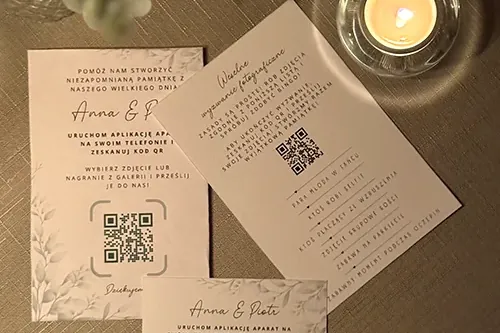
- Put the QR code on badges, in the agenda, on tables and on a slide shown during breaks. You can match the code color to your brand identity, and print ready-made code cards for the tables.
During the event
The code alone isn’t enough: someone has to mention it. Ask the host to remind people about the gallery in one sentence at the opening and after the lunch break. A slide with the code between talks works all day.
Photo bingo works well for team events. It’s a 3 × 3 board with 9 challenges you set yourselves, like “Selfie with someone from another department”, “Photo with a speaker”, “Your team in the workshop area”. Attendees take a photo for a challenge and check off the square, and at the end you can draw a winner and hand out a prize on stage.
After the event
- The next day, email attendees a thank-you with the gallery link. Some people only add photos once they’re back home.
- Review new files if you turned on moderation.
- Download everything as a ZIP and hand it to marketing. Preparing the package can take a few minutes, and you’ll get a notification when it’s ready. Photos are in full resolution, without messaging-app compression.
Image consent and publishing photos
The gallery collects the photos, but you decide which ones get published and where. The organizer collects consent to use people’s images on their side, for example in the event registration form. It’s also a good idea to note in the agenda or on the card next to the code that gallery photos may be used in company materials.
How much a corporate event gallery costs
You create and test the gallery for free. You pay once, when you publish, with no subscription. Packages differ in storage for photos and videos and in how long attendees can add and view photos. If you expect lots of videos or several hundred attendees, choose a package with more storage.
There’s also Mini (2 GB, 14 days, 99 zł) for a small team meetup. From Mini, Party and Event you can upgrade to a higher package, and Standard and Plus can be extended by a year. Details are on the pricing page, and all the features are on the QR gallery page.
Frequently asked questions
No. The QR code opens the gallery in the phone’s browser. Attendees tap “Add photos” and choose files, no login.
On badges, in the agenda, on tables and on a slide shown during breaks. It’s also worth adding the link to your post-event email.
Yes. With moderation on, new files appear in the gallery only after you approve them. Moderation is set separately for the gallery, bingo, guestbook and each subfolder.
The event organizer. The gallery collects the photos, and you collect consent on your side, for example in the registration form.