QR code table cards: 6 printable designs
QR code table cards are small cards, usually A6, with the gallery code and one line inviting guests to join in. Below are 6 layout ideas, from a minimalist card to a sign at the entrance, plus printing tips. Download ready-made cards with your code from your gallery dashboard.
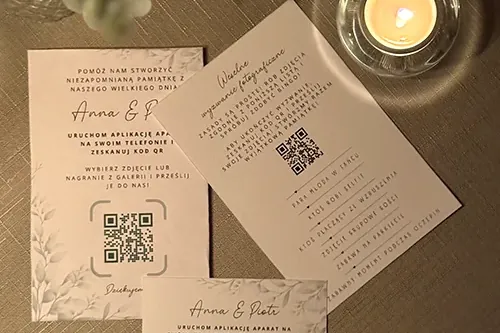
What to put on a QR code card
Whatever it looks like, every QR code table card needs the same few elements. Without them, even a beautiful design won’t tell guests what to do.
- a QR code, clear and on a light background;
- one sentence on what guests will find after scanning, like “Add your wedding photos and videos”;
- a note that there’s no app to install and no login;
- the gallery password, if you set one;
- optionally, your names, the date or a short thank-you.
Sample lines for the card:
- “Scan with your phone camera and add your wedding photos. No app needed.”
- “Got a great shot? Add it to our gallery.”
- “Photos, videos and wishes for us: scan the code.”
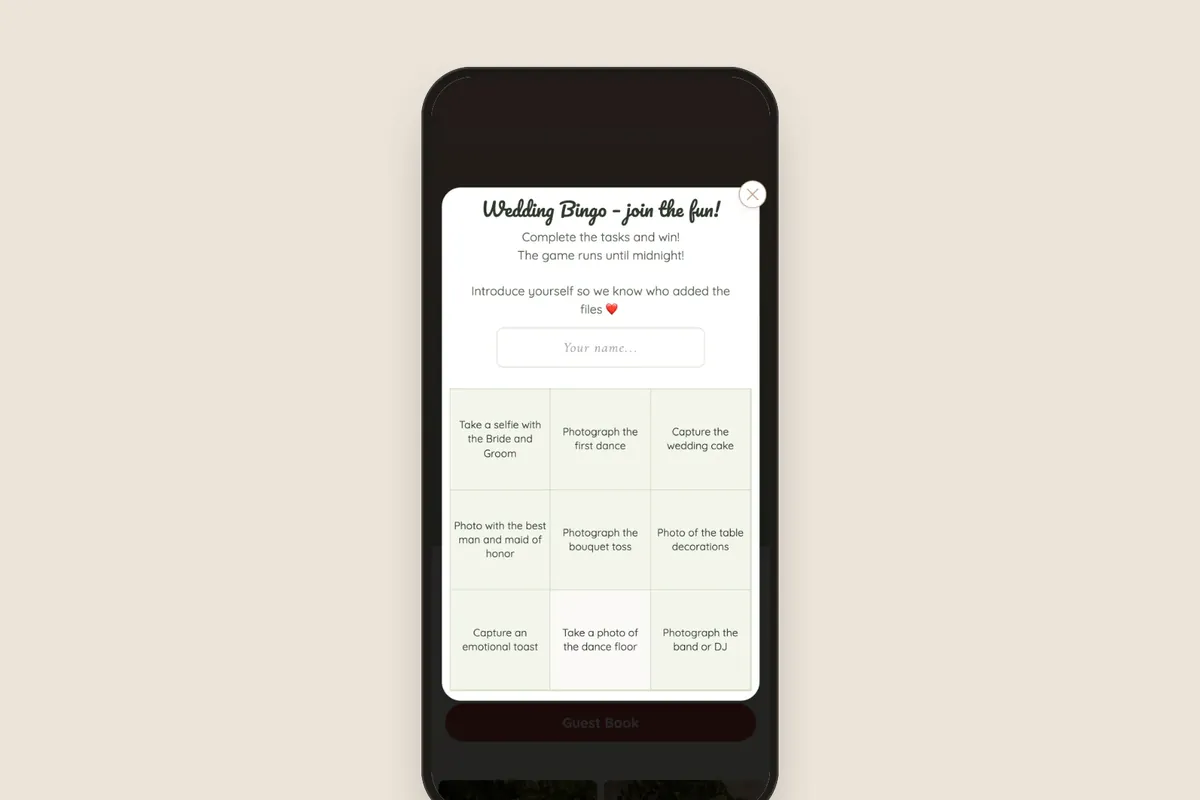
If the gallery has bingo or a guestbook, mention them in a word, like “photos, bingo and wishes”. Guests are more likely to scan the code when they know there’s more waiting than just an upload button.
6 printable card designs
The designs below are layout ideas, not finished graphic designs. You can adapt each one to your wedding colors and invitation style. The same code readability rules apply to all of them.
1. Minimalist
A white or cream card, the code in the middle, one sentence above it and a small “no app needed” note below. Nothing else. It’s the safest choice: it fits any decor, and the code has plenty of room and scans without a hitch.
2. With names and date
Your names and wedding date at the top, the code in the middle, a short prompt at the bottom. The card looks like part of your wedding stationery and goes well with the invitations, menus and place cards. Write your names and date in the same font as on the invitation.
3. With the couple’s photo
A photo from your engagement shoot at the top of the card, with the code below on a light, solid area. The photo draws the eye, but don’t put the code directly on it. A code on a photo loses contrast, and a phone may not be able to read it.
4. In a frame
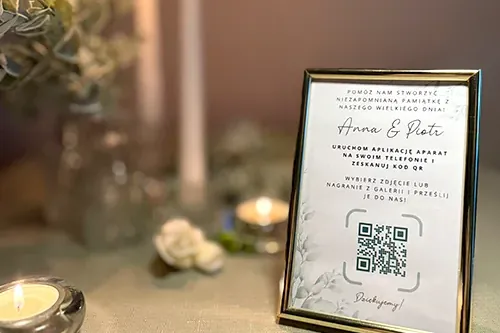
A card slipped into a small frame standing on the table. The frame keeps the card upright all evening, protects it from spilled drinks and looks like part of the decor. Choose a frame with no glass or with matte glass, because glossy glass reflects light and makes scanning harder.
5. Place card
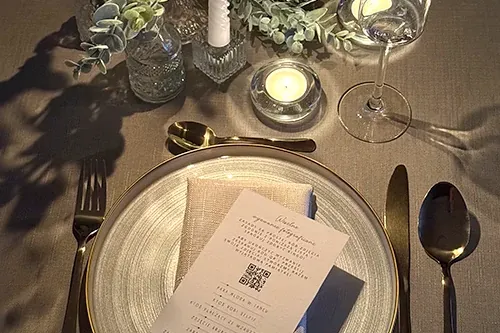
The code on a place card at each setting, next to the guest’s name. Everyone has it right in front of them and doesn’t need to reach for the card in the middle of the table. A place card is small, so the code takes up most of it. Keep the text to the name and a few words.
6. Entrance sign
A larger format, like A4 or A3 (or letter/tabloid) on an easel, next to the seating chart or welcome sign. Guests see it from several feet away, so the code needs to be proportionally bigger than on a table card. The sign announces the photo collection, and the table cards remind guests about it for the rest of the evening.
You can combine designs. For example, an entrance sign with minimalist table cards works well, or place cards with the code at each setting plus one framed card in the middle of the table.
How to print QR code table cards
- Choose a format. A6 makes a handy table card, and four of them fit on one A4 sheet.
- Print one test card and scan it with several phones, in low light too.
- Print on thicker, matte paper. Thin paper bends, and glossy paper reflects lamps and candlelight.
- Count your copies: one card per table, two for long tables, a sign at the entrance and a few spares.
- Get stands or frames so the cards don’t lie flat between the plates.
The cards are just the way into the gallery. The photos themselves go into one album that you watch as it fills up and download as a ZIP file after the wedding. For weddings there are two packages: Standard 299 zł (gallery for a year) or Plus 499 zł (3 years). You prepare the gallery and cards for free and pay once, when you publish.
Frequently asked questions
Usually A6. A card that size doesn’t take up much room on the table, and the code is big enough. For the entrance, a larger sign works better, like A4 or A3.
One for each table, two for long tables, one bigger one at the entrance and a few spares. They all have the same code.
Yes. The designs in this article are layout ideas. What matters is that the code is dark, on a light background, with an empty margin around it. Next to it, add a sentence saying what guests will find after scanning.
The QR code is created together with your gallery in Celebrio. You get ready-made printable card templates with the code, and you choose the code color yourself.